Repository - ctfbook Public
master: f3f22d6

README.md
ctfbook
Hi there! 😄👋
Thank you for using BeanHub, and congratulations on creating your first BeanHub repository. There are many things you can do with BeanHub.
Getting started
First, to clone your repository locally, you can create an access token set with proper Git operation permissions on the access token management page. See the Access tokens and Git over HTTPS guides. Next, You can clone your repository locally by running:
git clone https://app.beanhub.io/repos/ctfbot882211/ctfbook.git
The username is ctfbot882211 as your BeanHub account, and the password should be the access token's secret key value.
You can modify your accounting book locally, commit and push it to BeanHub. See what happens:
git push
After you push your changes to BeanHub, you can refresh the web pages of your BeanHub repository to see the up-to-date accounting book data. BeanHub is more than just a hosted Beancount based on Git. Let's see what else you can achieve with it!
Import
Importing data from various sources, such as your bank or credit card accounts, is one major pain point of using plain-text accounting books like Beancount. We made it easier than ever for you to import various sources with rule-based automation. We have already provided you a sample import rules file at .beanhub/imports.yaml in this repository.
You can download this sample CSV file here. To upload and import it, click the Import button on the left-hand side menu and then click Upload Files. Or you can click here.

Then, choose the CSV file you downloaded and press the upload button. After that, you will need to review the uploaded file. Press the Import button, and here you go!

You just imported transactions from the bank account CSV file with a few clicks! Please read the Import transactions guide to learn more.
Forms
Input repetitive transactions manually are time-consuming and error-prone. BeanHub allows you to define your custom forms for generating transactions. We have already provided a sample form for you in the .beanhub/forms.yaml file. You can try it out by clicking the Forms button on the left-hand side menu, then clicking the form Hours spent on XYZ contracting project, or simply clicking here.
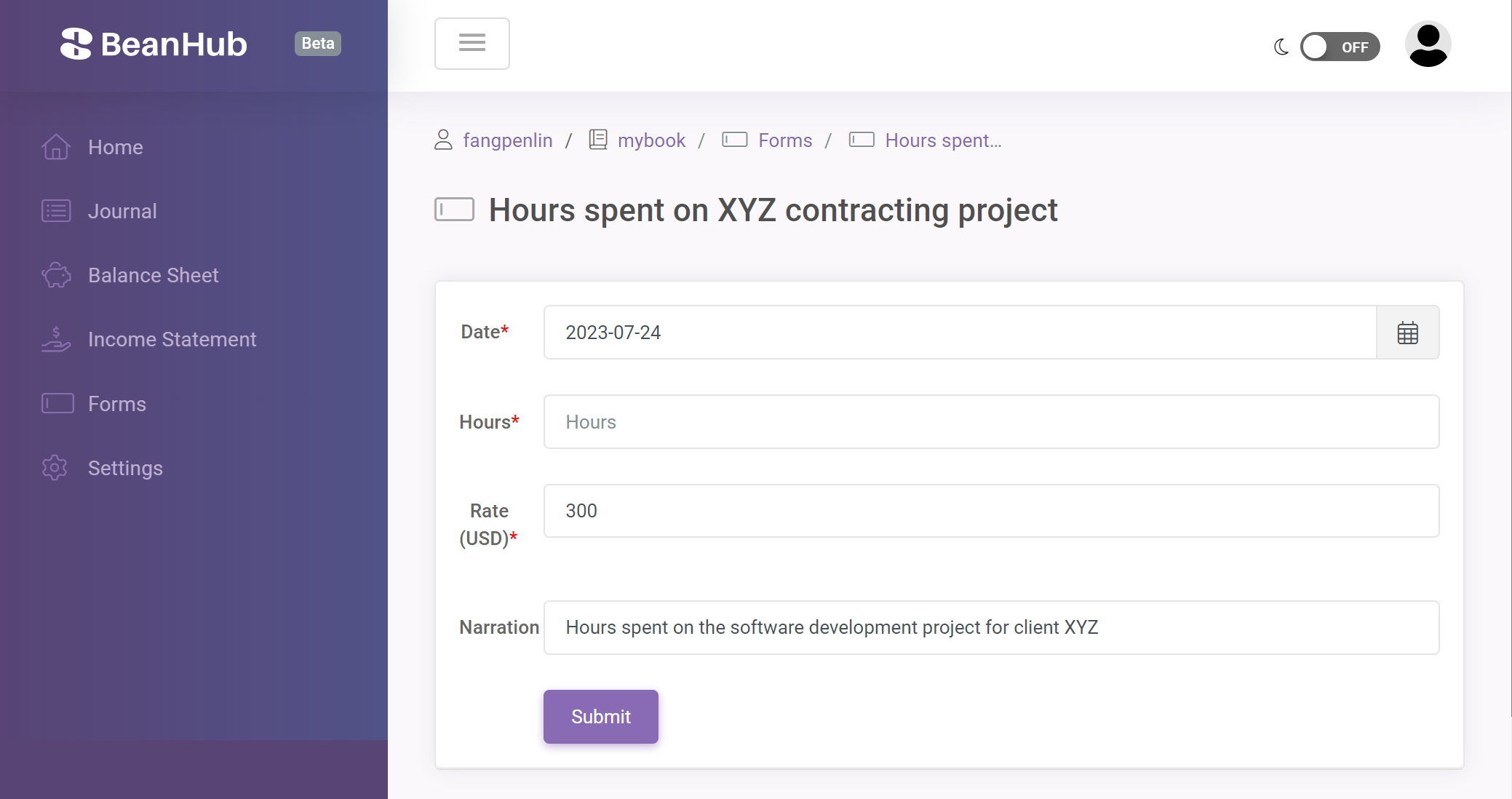
After you submit the form, a new transaction will be added in a Git commit based on your input.

Please read the Custom forms guide to learn more.
API Access
Have you ever wondered how cool it would be if you could read and write your Beancount accounting book with a well-defined API? You are in luck. BeanHub provides a featureful API that allows you to access your accounting books. With this API, you can insert, update, or delete entries programmatically. You can read the API overview and the API documents here. To access the API, you need to create an access token on the access token management page. See the Access tokens guide.
MCP
You can connect an AI app to this book with MCP (Model Context Protocol).
Enable it on the MCP settings page, then paste https://api.beanhub.io/mcp into the app (ChatGPT, Claude, Cursor, and others).
The app signs in with OAuth. Do not paste an access token.
New connections start read-only. You pick which books the app can see, and you can allow updates later. AI models can generate incorrect results. Check numbers and any proposed book changes before you rely on them.
Please read the Connect an AI app with MCP guide to learn more.
Basic operations
In addition to the powerful custom form and import data feature, we also provide basic Beancount operations, such as adding new transactions. You can also rename your account with a simple click. More new features are coming soon:
- Modify entry
- Delete entry
- Split account
Finally
Hope you find BeanHub useful. We are working hard to add more features. If you have any questions about BeanHub or suggestions, please don't hesitate to contact us at [email protected].